
Linux Setup
Follow these steps to connect your Linux device to the SFCollege Wi-Fi network.
Important: Use your SF ID (8-digit number) and your SF password when prompted.
Step 1: Enter the connection settings
- Wi-Fi security: WPA & WPA2 Enterprise
- Authentication: Protected EAP (PEAP)
- Certificate option: Check No CA certificate is required
- Username: Use your SF ID (8-digit number)
- Password: Use your SF password
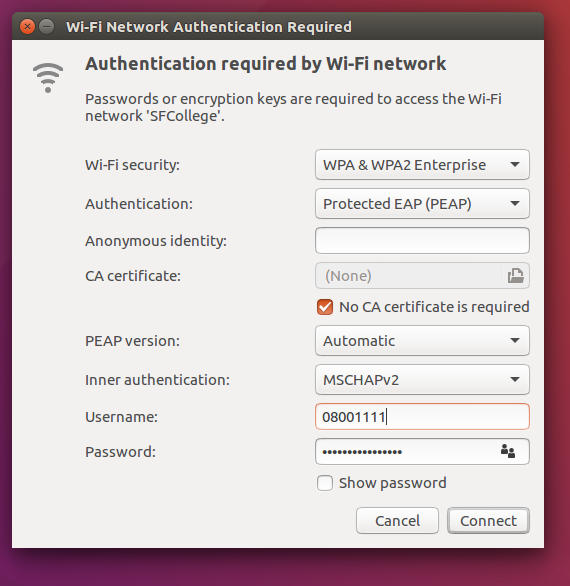
Click Connect.