iPhone Setup
Follow these steps to connect your iPhone to the Santa Fe College wireless network.
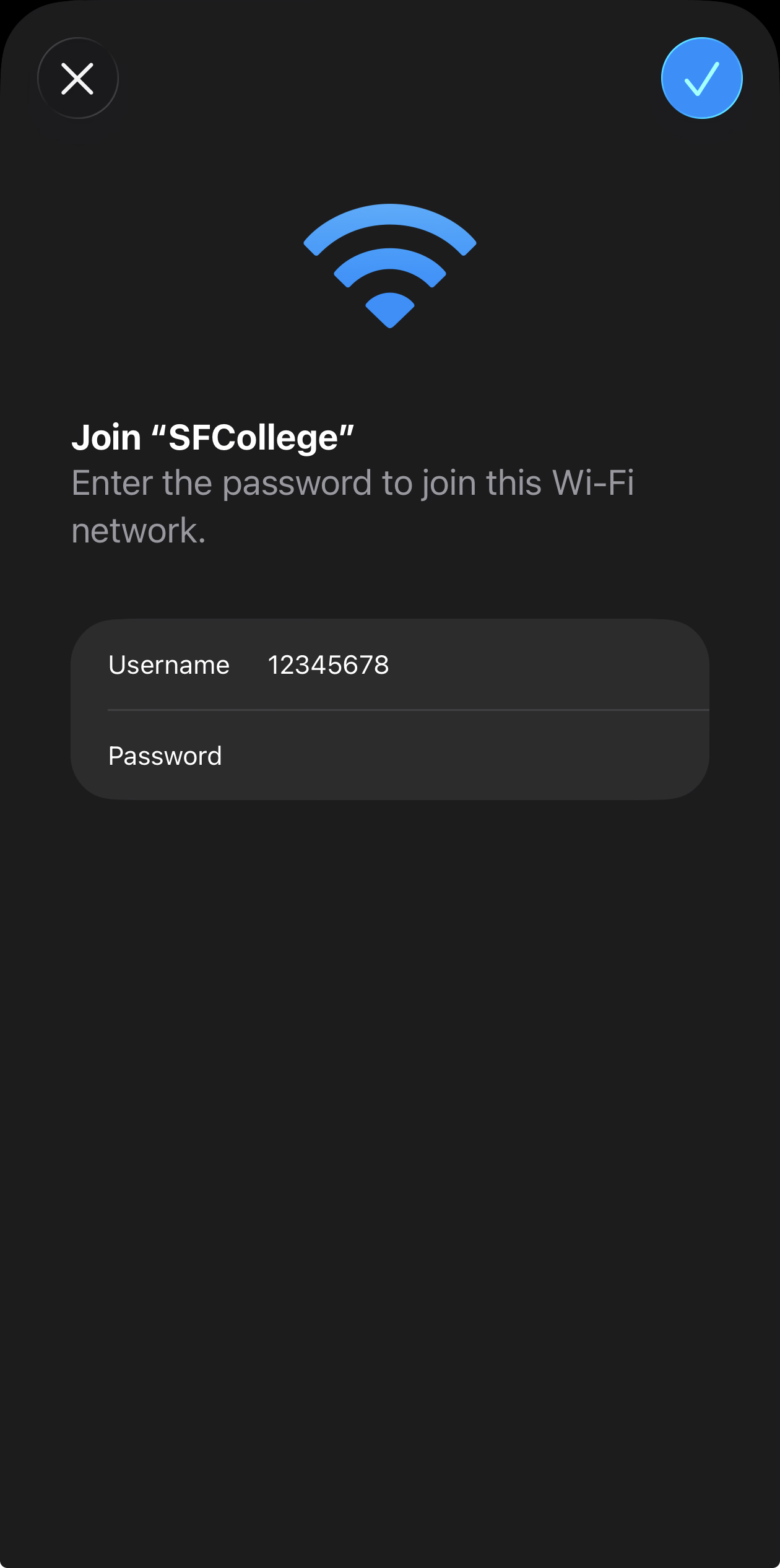
Important: Use your SF ID (8-digit number) as your username.
Step 1: Sign in
When prompted, enter your SF ID as the username and continue with the wireless login process.
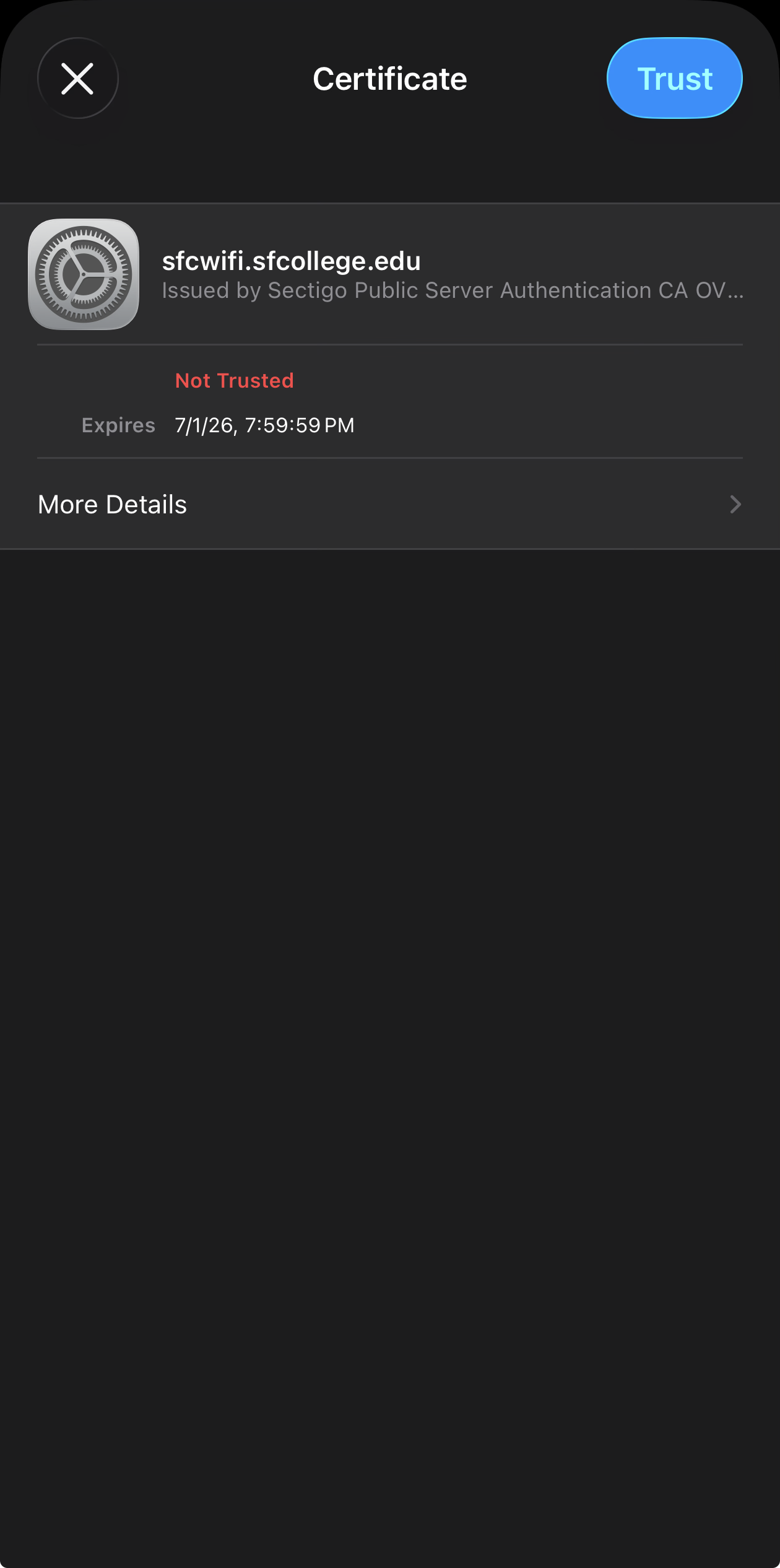
Step 2: Trust the certificate
You must trust the sfcwireless.sfcollege.edu certificate when your iPhone asks for confirmation.
Step 3: After you connect
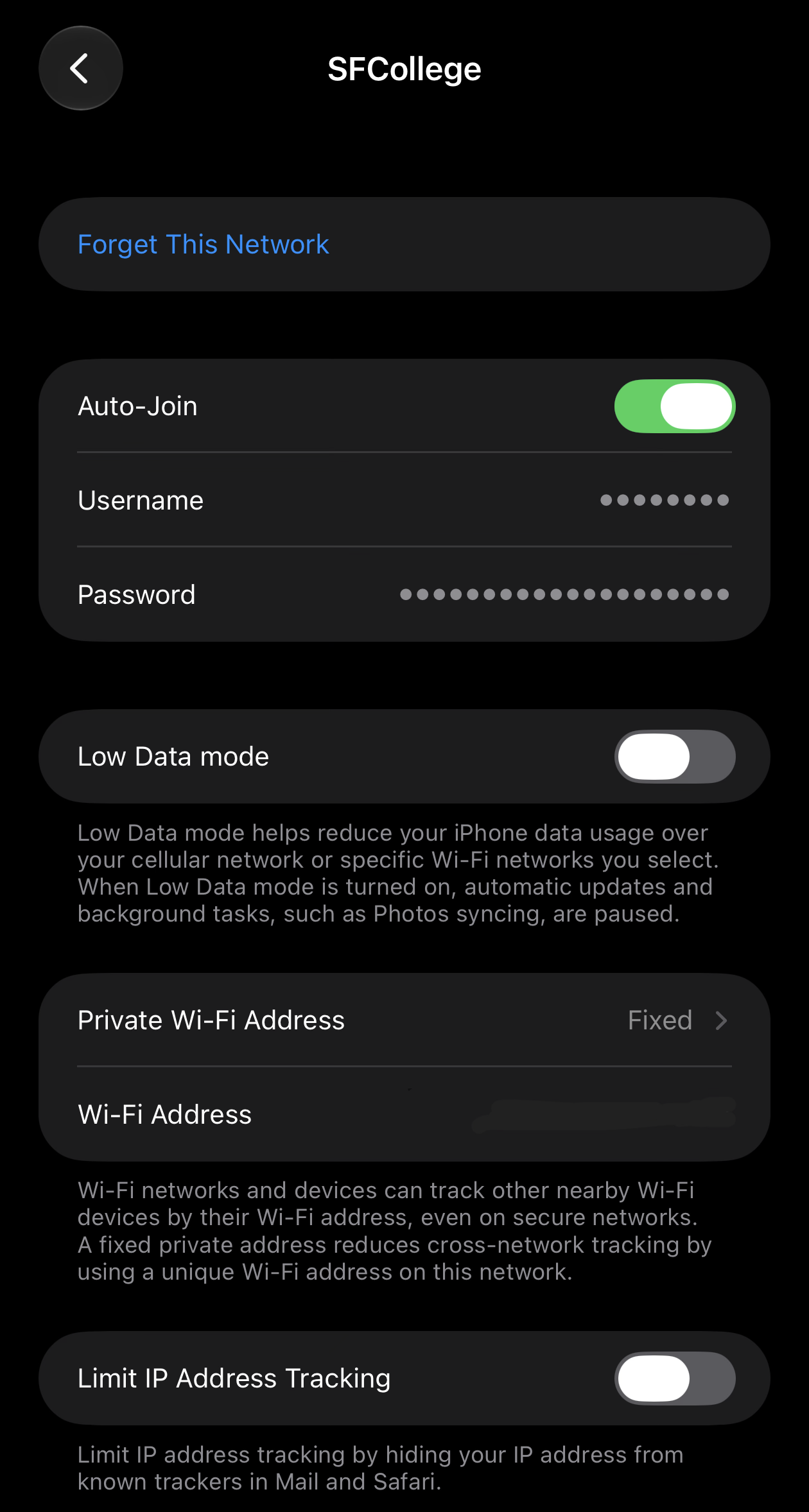
Go to Settings → Wi-Fi → SFCollege (tap the network or the i).
- Private Wi-Fi Address: set to Off or Fixed. Do not use Rotating.
- Limit IP Address Tracking: turn Off.