Android Setup
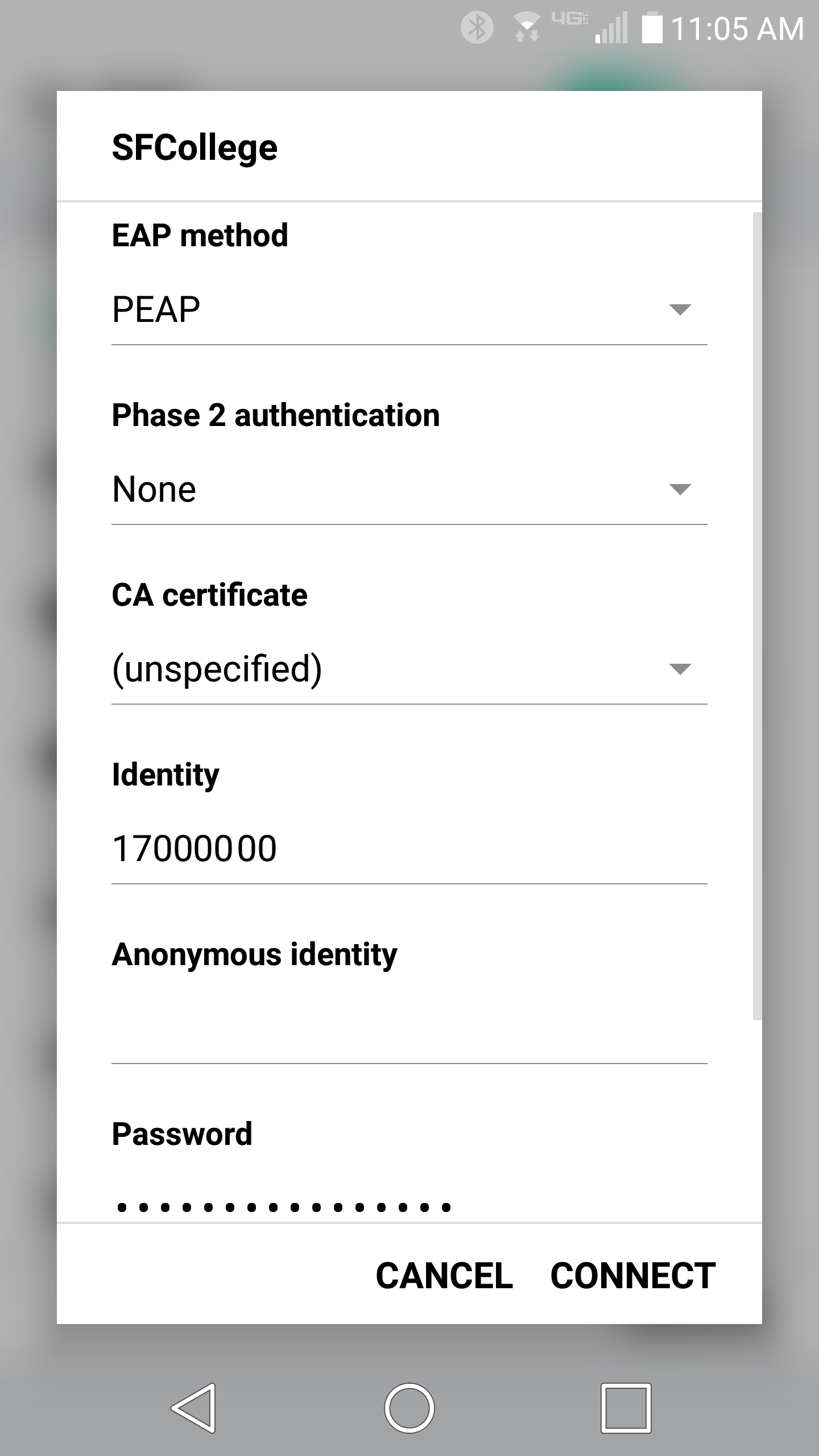
Follow these steps to connect your Android device to the Santa Fe College wireless network.
Important: Use your SF ID (8-digit number) as your identity or username.
Connection settings
When your Android device asks for wireless security settings, use the following values:
- EAP method: PEAP
- CA certificate: Select Unspecified or Do not validate
- Anonymous identity: Leave this field blank