
Chromebook Setup
Follow these steps to connect your Chromebook to the SFCollege Wi-Fi network.
Important: Use your SF ID (8-digit number) and your SF password when prompted.
Step 1: Enter the wireless settings
- EAP method: PEAP
- Phase 2 authentication: MSCHAPv2
- Server CA certificate: Do not check
- Identity: Use your SF ID (8-digit number)
- Password: Use your SF password
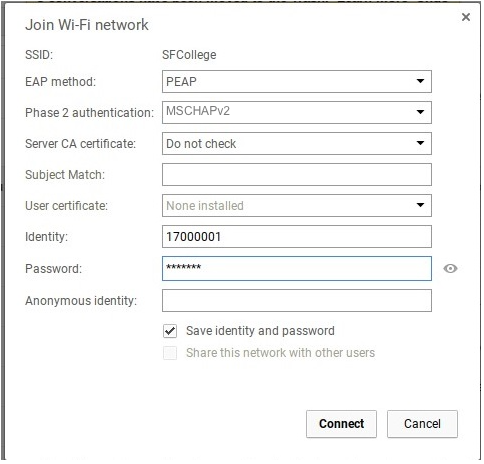
Click Connect.